01
One complete overlay
Analyze, scroll, copy, reopen recent work, and save the reference without leaving the image you chose.

Loading your workspace
Promira / by TECH4SSD
Turn any visual reference into a production-ready prompt while you browse Pinterest, YouTube, design galleries, and the rest of the web.
84 installs started
Chrome + Brave + iPhone · Six built-in reads daily · Referral bonuses


 Download image
Everything beside the image
Read the full reconstruction, choose a model-specific version or JSON, copy it, and download the original reference from one focused overlay.
84 installs started
Download imageBrowser extension
Promira places one intentional action beside useful images. The image goes to the protected TECH4SSD service, the provider credential stays on the server, and the completed prompt returns to your browser.

Analyze, scroll, copy, reopen recent work, and save the reference without leaving the image you chose.
Use one universal reconstruction prompt, switch to a model-specific version, or copy the structured analysis.
Promira records spatial placement, light, shadows, materials, camera behavior, typography, wear, and imperfections.
Provider credentials stay on the server. Your latest four prompt previews remain in bounded local browser history.
New · Video Depth
Upload a clip and Promira estimates depth for every frame, stabilized so surfaces hold still rather than flicker. Take it into VFX, 3D, parallax, compositing and depth-guided AI work.
Try Video DepthReal Pinterest workflow
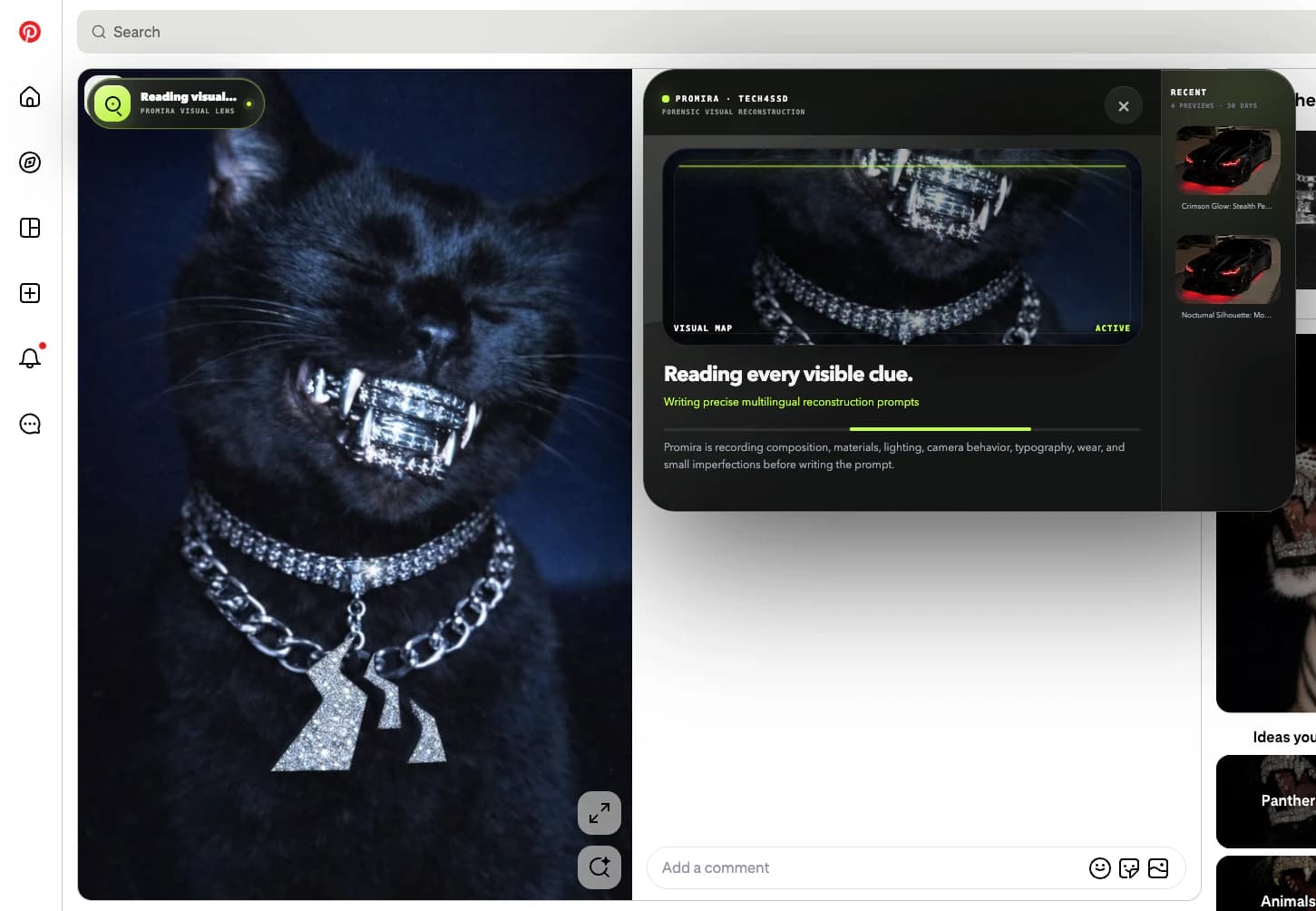
These are real Promira screens captured on Pinterest. Choose an image, watch the visual analysis, copy the full reconstruction, and use it in the generator you already prefer.

Promira product tour
Choose the reference
Hover the Pinterest visual you want to understand. Promira places one clear action directly on that image, without changing your browsing flow.
Pinterest, Google Chrome, Brave, and ChatGPT are trademarks of their respective owners. Their interfaces are shown only to explain compatibility and the real product workflow.
Connect your account